AI Card Bao GGOPHDEVELOPER.AICARDBAO.COM
Home / ai-art and creative design / Image Color Palette (PixPi
AI TOOL / #01213

Image Color Palette (PixPix)

Extract the primary color from the HEX color palette.
Introduction

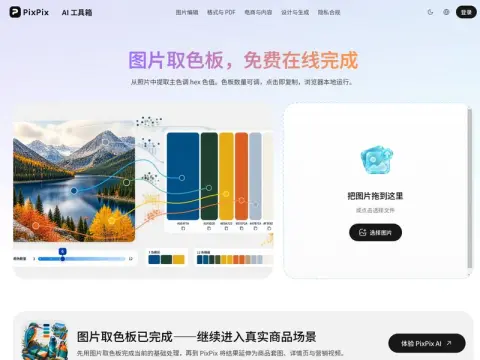
Perform median-cut color quantization on the pixels of an image, recursively divide the color space into the desired number of subspaces, select the representative color of each subspace, and generate duplicateable HEX codes as the output. The number of color swatches can be adjusted ranging from 3 to 12.

The use of quantization instead of averaging is because averaging tends to blend complementary colors together into a murky range of intermediate tones, which does not match the actual visual effect of the image. Quantization, on the other hand, preserves those colors that are truly present in the image and constitute a significant portion of its overall palette.

When choosing a general direction for your design, select 3 to 5 colors; if you want to create a complete color scheme, choose 8 to 12 colors. Clicking on each color block will copy it to the clipboard – there’s no need to manually enter the hexadecimal codes, and the images can be loaded locally for use in your design.

The color palettes extracted from photos generally cannot be directly used for designing interface colors, because they often lack neutral tones that are either dark enough or light enough. A feasible approach is to select one or two of these colors as the primary and accent colors, and then supplement the neutral tones yourself. This method can be effectively applied when creating posters, determining the theme of a PowerPoint presentation, selecting color schemes for a brand, or seeking inspiration for illustrations.

Visits:78 Updated:2026-11-22 Popular tools

Related

Squoosh When uploading images, file size is often the most frustrating part. The original image is too large, and the website won't let you upload it; compress it too aggressively, and the details in your photos disappear, while the small text in screenshots starts to look blurry. After exporting it several times, you eventually can't even tell which version you should use. Squoosh Squoosh is IDM multi-threaded downloader Long-term update of the green version of the IDM multi-thread download tool~~ The content comes from lrepacks Lao Maozi's website, only reprinted! ! The content is subject to publication by the original author. The green version may be blocked, indicating risks. If you are worried, please go to the lrepacks website to download, or purchase Sour Lemon – New Dynamic Tab Page Recently, some friends messaged me privately and asked if I knew of any new browser tabs that were particularly clean and didn’t contain any unnecessary elements. Well, actually, there is such a thing! “Sour Lemon New Tab” is a minimalist-style add-on that works perfectly with modern browsers like Google Chrome and Microsoft Edge, making your browsing experience more convenient and streamlined. AiPPT AIPPT is an AI tool that helps you quickly generate high-quality PPT with one click. You only need to enter the topic of your PPT document, and AI can automatically generate PPT outline copy for you. It can be quickly generated with just one theme and supports the import of documents, mind maps and other formats! Enter subject HeroSMS Regarding foreign mobile phone number receiving tools, this site has always recommended Maozi's SMS Activate code receiving platform, but it was discontinued in early 2026. At present, all technologies have been transferred to HeroSMS. Hero-SMS is SMS-Activate" GoFullPage GoFullPage is a web page long screenshot browser extension. It can "capture the entire page screenshot with one click", automatically scroll the page and assemble each part of the page into a complete picture or PDF. The operation is extremely simple and emphasizes local processing and reliability. Main functions: One-click full page screenshot (automatic scrolling