AI TOOL / #02394
Celina
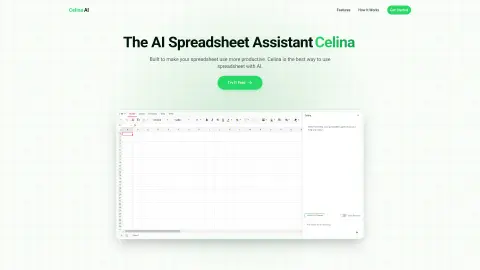
An AI-powered spreadsheet assistant that uses natural language to manage and analyze data.
Introduction
AI-powered spreadsheet assistant that uses natural language to manage and analyze data.
What is Celina AI?
Celina is an AI-powered spreadsheet assistant that revolutionizes the way you work with data. It enables users to create, edit, and modify spreadsheets in plain English. Users can insert their own data or obtain information through advanced research methods. By combining the powerful capabilities of AI with traditional spreadsheet functionality, Celina helps users work more efficiently, supporting natural language commands, formula assistance, visualization tools, and data retrieval features.
How to use Celina AI?
To use Celina, simply import your spreadsheet file (in .xlsx or .xls format) or copy and paste the data directly. You can then pose questions in plain English or specify the calculations you need to perform. Celina will analyze the data and provide immediate answers, charts, and recommendations.
The core functions of Celina AI
natural language commands
Formula Assistant
visualization
Data acquisition
Formula Assistant
visualization
Data acquisition
Related
Chapterize
Tools based on artificial intelligence summarize books, videos, papers, and articles to provide key information in just a few minutes.
PackPack
An artificial intelligence-driven bookmark management tool designed to help users save and organize online content.
Genei: Browse Fast
Genei: An AI-powered web application and Chrome extension designed for research and summarization purposes.
Essen Auto Highlight
Essen helps you quickly read important information by utilizing artificial intelligence.
Full Picture: research, analyze with ChatGPT
Artificial intelligence tools used for summarizing, explaining, and analyzing news articles.
SummarAIzer
A Chrome extension based on OpenAI's GPT technology that supports article summarization in any language.