AI TOOL / #02529
Text to Google Calendar
Chrome extension: Allows users to create Google Calendar events directly from highlighted text.
Introduction
Chrome extension to create Google Calendar events from highlighted text.
What is the Text to Google Calendar AI Chrome extension/plug-in?
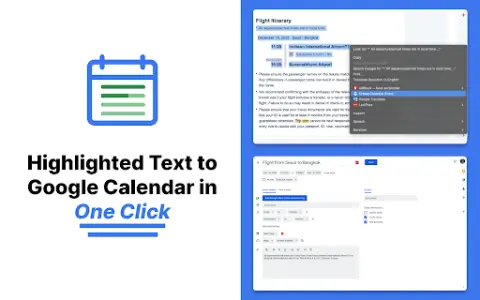
Text to Google Calendar is a Chrome extension designed to simplify the process of creating events on Google Calendar. It allows users to highlight text from emails or web pages and convert that text into calendar events with just one click, eliminating the need to manually copy and paste event details.
How to use the Text to Google Calendar AI Chrome extension?
Install the Text to Calendar Chrome extension. Highlight the relevant text containing event details (date, time, description, location) on a web page or in an email. Click the extension icon, and it will automatically use the extracted information to create a Google Calendar event.
The core functionality of the Text to Google Calendar AI Chrome extension.
Click to create an event based on the highlighted text.
Automatically fill in the time zone, location, and event details.
Easily create multiple and duplicate calendar events.
Automatically fill in the time zone, location, and event details.
Easily create multiple and duplicate calendar events.
Related
makeaudio
An AI-powered text-to-speech converter supporting 16 languages and natural voice options.
MiniMax Image-01
MiniMax is an artificial intelligence company that offers models for text, speech, and video generation, which can be integrated through APIs.
AI Voice Generator – Text to Speech Voice Reader
A text-to-speech tool that utilizes OpenAI’s TTS models, suitable for a variety of platforms.
Natiq
Natiq is a TTS technology that converts Arabic text into natural speech.
OpenAI Text To Speech WebUI
A free web interface that uses the OpenAI API to convert text into speech.
Voice Out
A Chrome extension that converts text into speech, capable of reading digital content in multiple languages.