AI TOOL / #03900
AiAsk Summary
A Chrome extension tool that extracts article outlines to improve reading and research efficiency.
Introduction
Chrome extension that extracts outlines from articles for enhanced reading and research.
What is the AiAsk Summary AI Chrome extension/plugin?
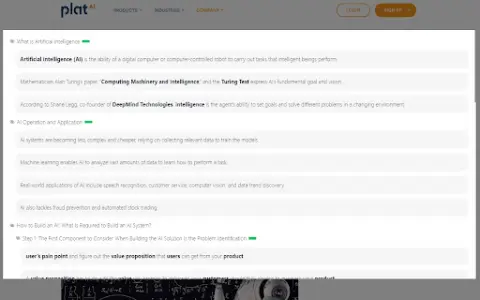
AiAsk Summary is a Chrome extension designed to enhance your reading and research experience. It cleverly extracts the main outline of any article you browse, providing a structured overview of its content.
How do I use the AiAsk Summary AI Chrome extension/plugin?
1. Browse: Open any article in the Chrome browser.
2. Activate: Click the icon in the browser toolbar or the icon on the right side of the page.
3. Extract: This extension analyzes the article and displays a concise outline.
2. Activate: Click the icon in the browser toolbar or the icon on the right side of the page.
3. Extract: This extension analyzes the article and displays a concise outline.
Core features of the AiAsk Summary AI Chrome extension/plugin
Automatic outline generation
User-friendly interface
Improve reading efficiency
Supports YouTube videos
Show detailed content when the outline is ready.
User-friendly interface
Improve reading efficiency
Supports YouTube videos
Show detailed content when the outline is ready.
Related
Caffeine
Applications for generating conversations on internet-connected computers
Dilog
Use AI to simulate the customer interface for a few minutes in order to test your ideas.
IrisGo
It seems that this desktop AI automation can be easily reproduced just by following your steps once.
Vresk
A unified AI dialogue workbench that aggregates multiple open source large models
RemoveText.video
An AI tool that can remove hard subtitles, text, and icons from videos online.
Kilo Code
An open-source AI programming agent that supports over 500 different models.