AI TOOL / #05985
Voiceboost – ChatGPT
A Chrome extension designed for voice-controlled interaction with ChatGPT.
Introduction
Chrome extension for voice-controlled ChatGPT interaction.
What is the Voiceboost AI Chrome extension/plug-in?
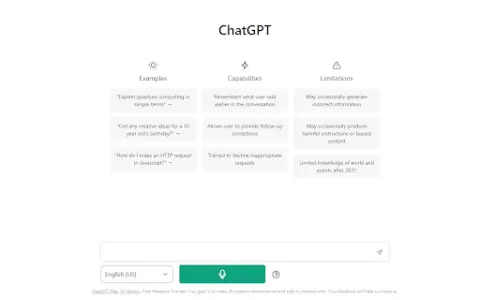
Voiceboost is a Chrome extension that allows users to interact with ChatGPT via voice commands. It adds a button below the input field; by clicking this button, the system captures the user’s verbal inquiries and sends them to ChatGPT for responses. This provides a hands-free alternative for entering text.
How to use the Voiceboost AI Chrome extension/plug-in?
Click the button added below the input area to start recording your voice input. Alternatively, use the keyboard shortcuts: Ctrl+Shift+S (Windows) or Command+Shift+S (Mac) to begin recording, and Ctrl+Shift+E (Windows) or Command+Shift+E (Mac) to stop and submit the recording. Make sure to grant microphone access when prompted.
The core functionality of the Voiceboost AI Chrome extension/plugin
Voice input for ChatGPT
Keyboard shortcuts for voice capture and submission
Keyboard shortcuts for voice capture and submission
Related
MaxAI.me
An AI extension that can be used with just one click, enabling users to write, edit, summarize, and translate text online.
AgentLabs
A UI service designed for building chat-based AI assistants, equipped with built-in functionality.
GPT-4 for HelpScout
An AI customer service assistant provided for Help Scout, used to draft responses to support tickets.
Jarbas
An AI platform that automates customer support, enhances team productivity, and offers features for managing agents independently as well as creating content.
DataSpark AI
A multi-agent platform for enterprise automation and growth.
Bytebot
Bytebot uses natural language processing and AI to simplify the process of web scraping and automation.