AI TOOL / #06057
Obiklip
A video editor for presentation content, featuring automatic transcription and editing capabilities.
Introduction
Video editor for speech content with auto-transcription and clip creation.
What is Obiklip?
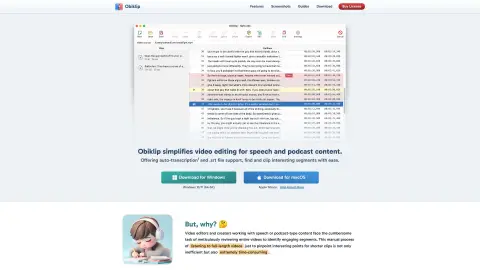
Obiklip simplifies the video editing process for presentations and podcast content. It offers automatic transcription and support for .srt files, making it easy for users to locate and edit interesting segments. Suitable for both Windows and macOS, Obiklip makes video review, identification of key moments, and creation of engaging short clips much more straightforward by automatically transcribing the video content and providing a navigable text list.
How to use Obiklip?
Obiklip automatically transcribes the content of your videos, generating a navigable list of text. You can quickly browse this transcript to identify key topics and interesting segments, mark the beginning and ending points of these sections, and then use this information to create shorter videos.
The core functions of Obiklip
automatic transcription
The .srt file format is supported.
Navigable transcription text
Simple and easy video editing process
Audio preview
Batch export
The .srt file format is supported.
Navigable transcription text
Simple and easy video editing process
Audio preview
Batch export
Related
Page summary
Chrome extension for summarizing web pages using ChatGPT.
GOAT AI
GOAT AI offers one-click AI summaries that are suitable for a wide range of content types, thereby enhancing users’ ability to understand the information.
Remark
Remark is a text summarization application that uses natural language processing technology to shorten long articles.
AbridgIt
AbridgIt enables you to summarize long articles using artificial intelligence with just a few clicks.
Synopse – GPT Summarizer
Synopse is a browser extension that uses GPT models to provide instant summaries of web pages.
ReadPilot
An artificial intelligence tool that can quickly summarize web pages and videos.