AI TOOL / #06524
Speak based on Azure Speech
Text-to-speech extension using Azure Speech with support for multiple languages and Chrome live subtitles.
Introduction
Text-to-speech extension using Azure Speech, supports many languages and Chrome Live Caption.
What is Azure Speech TTS Extension ai chrome extension/plugin?
This is a text-to-speech (TTS) extension that leverages the Azure Speech service to convert selected text to audio. It supports multiple languages and integrates with Chrome's Live Subtitles feature for enhanced accessibility. Users need to configure the extension using their Azure Speech Service API key to enable TTS functionality.
How to use Azure Speech TTS Extension ai chrome extension/plugin?
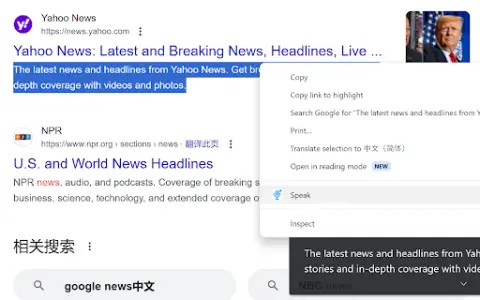
Install the extension, configure it with your Azure Speech Service API key, select text on a web page, and use the extension to play audio for the selected text. Audio playback will be based on the selected language and voice settings.
Core features of Azure Speech TTS Extension ai chrome extension/plugin
Text-to-speech using Azure Speech Service
Support multiple languages
Integrate with Chrome Live Subtitles
Configurable voice settings
Support multiple languages
Integrate with Chrome Live Subtitles
Configurable voice settings
Related
SmilesFlow
SmilesFlow helps create interactive, branded games that enhance engagement on blogs and social media platforms.
RideAI
RideAI is a map application that provides surf reports and weather information generated by artificial intelligence.
UserWatch
An AI-based user experience research tool designed to identify issues related to website accessibility and enhance conversion rates.
BioSeek Reader
Chrome extension for exploring biological terms and related entities in web sources.
MindPeer
An AI-based B2B research system designed for customized corporate intelligence and automated report generation.
canvs.ai
AI-based text analysis platform for consumer insights and customer experience management.