AI TOOL / #06632
Talk to GPT
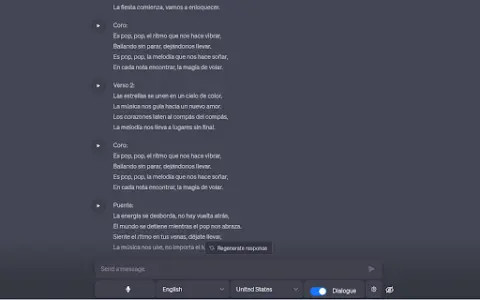
A Chrome extension designed for voice interaction with ChatGPT, supporting multiple languages and error correction features.
Introduction
Chrome extension for voice interaction with ChatGPT, supporting multiple languages and error correction.
What is the Talk to GPT AI Chrome extension/plug-in?
“Dialogue with GPT” is a Chrome extension that enables users to interact with ChatGPT on chat.openai.com via their microphone. It utilizes the browser’s speech recognition API to convert spoken audio into text and supports multiple languages. Users can also adjust the language settings and enable ChatGPT’s error-correction functionality.
How to use the Talk to GPT AI Chrome extension/plug-in?
Install the Talk to GPT Chrome extension. Visit chat.openai.com and use your microphone to utter your query. This extension will transcribe your voice and send it to ChatGPT.
The core functionality of the GPT AI Chrome extension/plug-in.
Provide voice input for ChatGPT.
Multi-language support
Language level adjustment
ChatGPT corrects errors.
Multi-language support
Language level adjustment
ChatGPT corrects errors.
Related
LessonShip
An AI-powered LMS that enables teachers to create teaching materials quickly and efficiently.
Codeamigo
An AI-powered platform that uses modern tools and tutorials to help people learn programming.
bugfree.ai
A platform for software engineers and data scientists to prepare for technical interviews.
AI Design Training
An online platform designed for designers to learn about AI tools such as Midjourney, DALL-E, and ChatGPT.
PromptStacks
A community platform for sharing and discovering prompts and tips for generative AI.
KnowVara LMS
An affordable AI-driven LMS designed for small businesses, featuring capabilities such as SCORM support and gamification elements.