AI TOOL / #07068
AnyParser
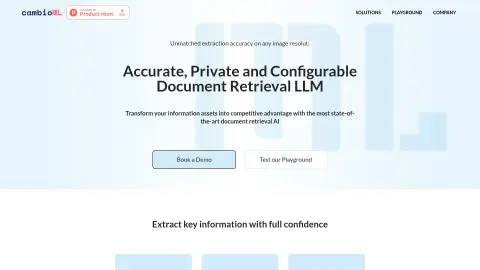
AnyParser simplifies the process of data entry by enabling accurate data extraction and providing effective privacy protection measures.
Introduction
AnyParser streamlines data entry with precise data extraction and privacy preservation.
What is AnyParser?
AnyParser simplifies data entry by connecting documents (PDFs, PPTs, images) with IT systems (databases or Excel). It enables accurate data extraction and offers robust privacy protection options. Additionally, it integrates the extracted data into your IT system through AI-based mapping processes. Thanks to its visual language model, AnyParser increases the accuracy of document retrieval by up to two times. It can accurately extract text, tables, charts, and layout information from PDFs, PowerPoint presentations, and images. This API places top priority on customer privacy and ensures seamless integration with enterprise systems.
How to use AnyParser?
Drag and drop the document into the AnyParser interface, and edit the parsing and privacy settings to categorize the information—such as personal identification data, footnotes, and tables. Then export the results in HTML, Excel, or JSON format to your system.
The core functionality of AnyParser
Precisely extract data from PDF files, PPTs, and images.
Automatic masking function for personal identity information designed to protect privacy
Integration with IT systems (databases or Excel)
AI mapping for data integration
Extract text, tables, charts, and layout information.
Configurable options allow for the removal of personal identification information, as well as the extraction of tables and charts, while retaining footnotes and titles.
Automatic masking function for personal identity information designed to protect privacy
Integration with IT systems (databases or Excel)
AI mapping for data integration
Extract text, tables, charts, and layout information.
Configurable options allow for the removal of personal identification information, as well as the extraction of tables and charts, while retaining footnotes and titles.
Related
HireQuotient AI Detector
Browser extensions designed to detect content generated by AI systems and verify the authenticity of text.
FallacyFilter: Bias & Fallacy Detector
An AI Chrome extension designed to detect biases and errors in online text.
AI or Not
AI detection tools used to examine images, audio files, and KYC documents in order to prevent fraud.
AI Content Detector for ChatGPT – Sapling.ai
The AI content detector verifies texts written by humans and identifies content generated by AI.
KnowledgeBot
Conversational AI capable of self-verification, citing sources and learning from experts.
AICheatCheck
A web app that helps educators detect AI use in student writing.