AI TOOL / #07077
splitty
Splitty simplifies splitting the bill with receipt scanning, item assignment, and Venmo integration.
Introduction
Splitty simplifies bill splitting with receipt scanning, item allocation, and Venmo integration.
What is Splitty?
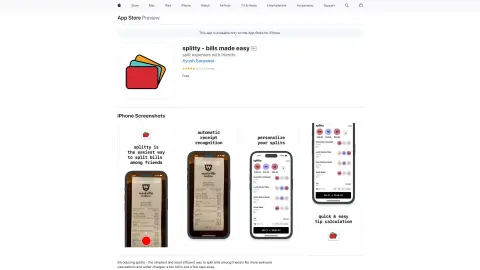
Splitty is a mobile app designed to simplify splitting bills among friends. Users can take a photo of a receipt, select the items each person consumed, and automatically calculate the exact amount each person owes, including tax and tip. Splitty integrates seamlessly with Venmo for fast, convenient payments.
How do you use Splitty?
When using Splitty, simply take a photo of the receipt or upload one from your photo album. The app uses AI to identify the restaurant, items, prices, and taxes. Then, customize the split by tapping the names of friends who didn’t share a particular item. Splitty calculates the new totals, including tax and tip. Finally, charge friends the exact amount they owe via Venmo.
Splitty's core features
AI-powered receipt scanning and item recognition
Customizable split payment feature
Automatically calculate taxes and tips
Seamless integration with Venmo
Customizable split payment feature
Automatically calculate taxes and tips
Seamless integration with Venmo
Related
ArXiv Pulse
An AI-based platform that provides abstracts of preprint papers on arXiv tailored to users' research interests.
Digest
A browser extension for webpage summaries and outlines.
Hyperlink Summariser – GPT
Browser extensions designed to summarize linked web pages in order to maintain smooth reading experience.
AI Article Assistant
A Chrome extension designed to use ChatGPT 3.5 Turbo for summarizing texts, identifying key points, and providing detailed analyses of them.
Read Something
The AI-powered Chrome extension enhances the web reading experience by offering features such as reading mode, AI-generated summaries, and translation capabilities.
Perspecteev
An extension for the objective and critical analysis of news articles.