AI TOOL / #07145
Pic to Text
A free web-based tool for extracting text from images using OCR technology.
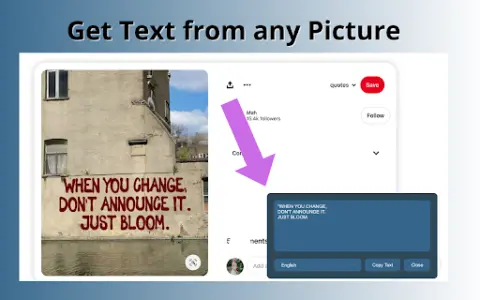
Introduction
A free web-based tool to extract text from images using OCR technology.
What is Pic to Text Converter ai chrome extension/plugin?
Image to Text Converter is a web-based tool that allows users to extract text from images using optical character recognition (OCR) technology. It supports multiple image formats and languages, providing a free and unlimited way to convert images into editable text.
How to use Pic to Text Converter ai chrome extension/plugin?
To use the image-to-text converter, upload an image via the "Choose File" button or drag and drop it into the input area. Click the "Extract Now" button to start the OCR process. The extracted text will be displayed and can be copied, downloaded or shared.
Pic to Text Converter ai chrome extension/plugin core features
Accurate OCR software
Multi-language support
Easy to share
No installation required
Free and unlimited use
Multi-language support
Easy to share
No installation required
Free and unlimited use
Related
midlibrary.io
A library of Midjourney AI styles, SREF code, guides and tools.
Browse AI: Fast Web Scraping & Monitoring
A no-code web scraping tool for automating data extraction and turning websites into APIs.
MaxBot Plus
An automated online ticket purchasing tool that offers efficient ways to buy tickets.
Makeayo
A Windows-based generative art creation tool that features artificial intelligence-driven capabilities and provides control over the creative process.
Cerebrium
A serverless AI infrastructure platform for building, deploying, and scaling AI applications – offering significant cost savings.
Nexal AI – All In One AI Platform
An all-round AI platform that integrates cutting-edge LLMs, designed for natural language processing, automation, and data analysis.