AI TOOL / #07230
hahaOCR
Extract text from the image; press the ESC key to exit.
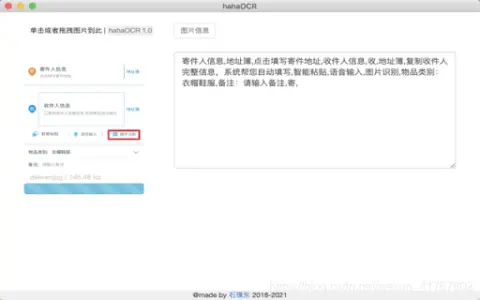
Introduction
Extract text from images and exit with ESC.
What are the Image to Text and ESC Exit App AI Chrome extensions/plugs?
This application allows users to extract text from images and convert it into editable text. Users can upload images by clicking a button and exit the application by pressing the “ESC” key.
How to use the Image to Text & ESC Exit App AI Chrome extension/plug-in?
Click the upload button to select an image. The application will automatically extract the text from the image and display it. Press the “ESC” key to exit the application.
The core functionality of the Image to Text and ESC Exit App AI Chrome extension/plugin.
Image to Text conversion
Use the ESC key to exit the function.
Use the ESC key to exit the function.
Related
Sublayer AI
Sublayer is a Ruby framework designed for building AI agents and implementing AI-based automation systems.
Caelus AI
Artificial intelligence agents used for social media monitoring, automatic responses, and interacting with users.
Quest Platform
Questera: An AI-driven customer engagement platform that enables the creation of scalable and personalized experiences.
Questflow – Build AI Agents With No Code
A platform that requires no coding, used for building, deploying, and monetizing AI agents in order to automate workflows.
Subatomic
AI Office Assistant: Boost efficiency and drive business growth.
AiGenie
Project partners that utilize AI enable task management and team collaboration through customized AI agents.